We moved into the wireframing stage with more clarity of the workflows we wanted to establish for our users. We identified and iterated across several key areas of SiteConnect:
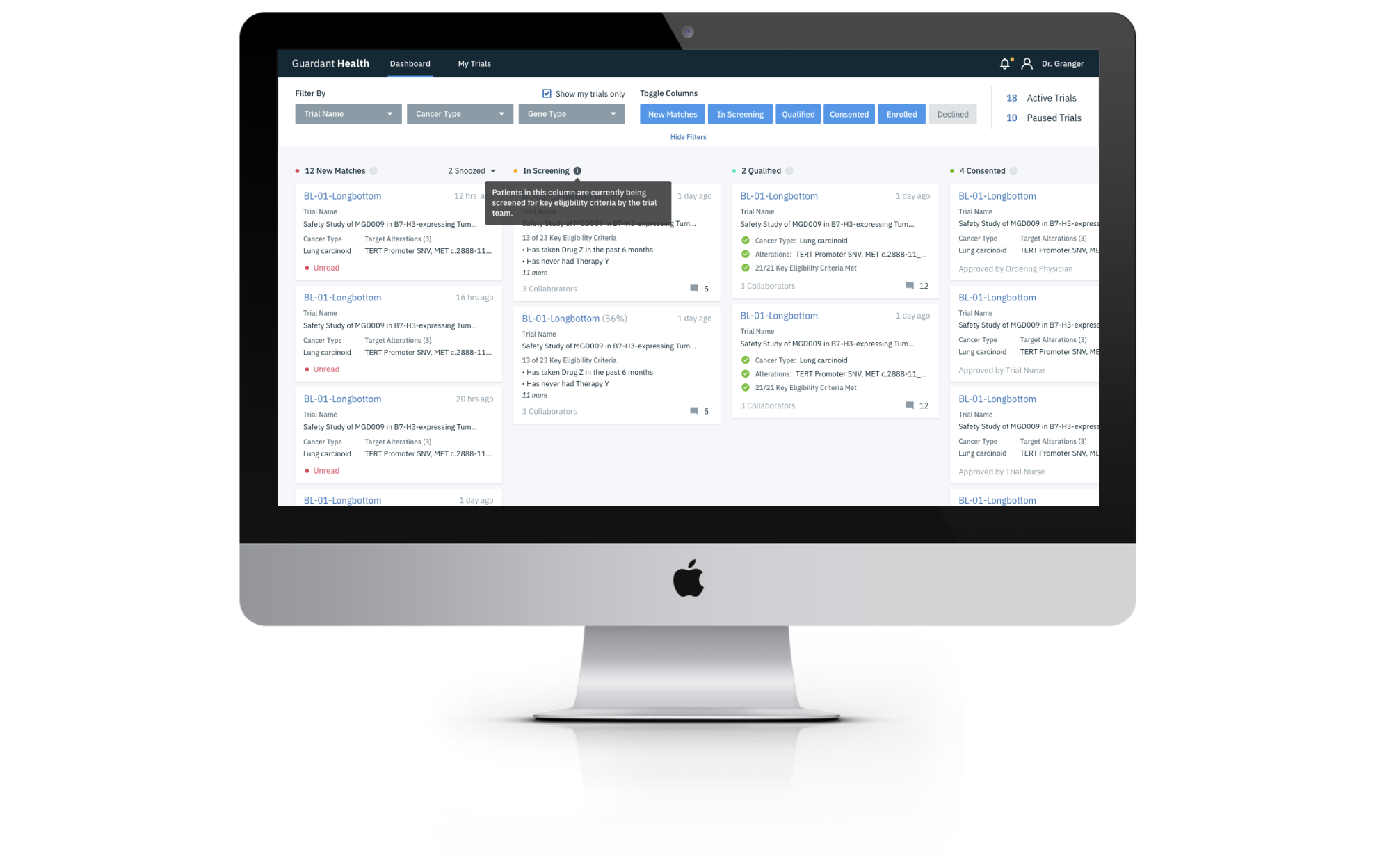
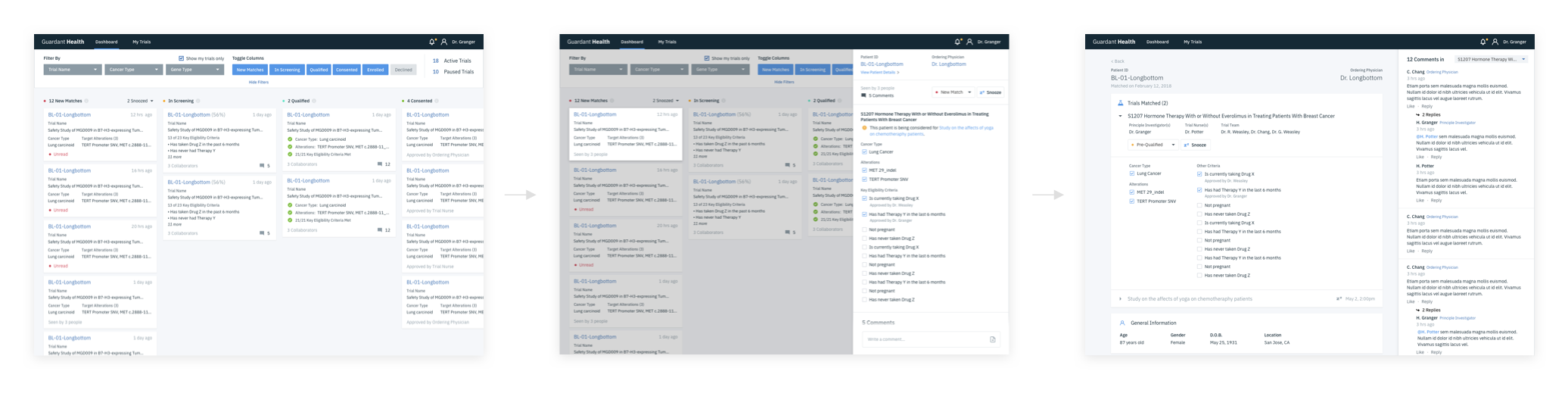
Dashboard: The dashboard consisted of a kanban view of each phase of the patient search: New Match, In Screening, Qualified, Consented, Enrolled, and Declined. Patients would be automatically moved across the board as they get matched and determined as eligible / ineligible. It also served as a space for trial teams and the oncologist to communicate about a matched patient to determine final eligibility.
Notifications: Our users aren't on SiteConnect all the time, watching for patients to get matched. This is only one step within the greater flow of conducting a trial, and it's important that the right people respond at the right time when a match is made. Users needed to be able to define how they wanted to be notified outside of SiteConnect and for which events.
Manage Clinical Trials: From time to time, details of a clinical trial study may change. When this happens, SiteConnect provides a space for trial teams to stay informed and on the same page. To make it easy for trial teams to manage trials, they'll be able to import information from clinicaltrials.gov, then refine and update the trial details as time goes on so the whole team stays informed.
Creating a Patient Search (Rule Builder): We learned that it's quite common for trial teams to initially search for different groups of patients for a clinical trial. This is so that they can determine the best "group" to study and move forward with. For SiteConnect, we created a rule builder that allowed a trial nurse to target Guardant 360 information, as well as a freeform list so they can capture custom eligibility criteria, such as age, location, and other demographics.


 hello@christinesiu.com
  LinkedIn
 Behance
 Vimeo
Vimeo